Consistency in Data Flow and Context through “starred” feature
Honestly, as a designer, I don’t usually use Canva. But recently, out of curiosity, I downloaded the PC app to try it out. And to my surprise? I even thought it might become a “super app” that could surpass Figma in the future.
Simple Notes
The fact that Canva offers an extensive range of design templates for commercial use, allowing even non-designers to customize easily, is a huge advantage. In Korea, there’s a similar service called “Miri Canvas.”
The fact that Canva offers an extensive range of design templates for commercial use, allowing even non-designers to customize easily, is a huge advantage. In Korea, there’s a similar service called “Miri Canvas.”
Currently, the primary target seems to be users who need fancy design results but aren’t designers themselves. However, I thought that if Canva added a design system creation feature, it could potentially expand its target to include designers as well.
Canva’s integrations with other services also seem to contribute positively to its usability.
What surprised me the most was the ability to create brand kits!
But, returning to the main point, what I want to discuss today is the “starred” feature, which allows users to mark favorite templates with a star icon.
This is a common feature in many services for helping users make selections by marking options.
Given the sheer volume of templates Canva offers, I think this is quite an essential feature. It allows users to save several favorite templates and make a final choice afterward. The flow looks something like this:
Browse templates → Narrow down a few favorites → Go to a saved selection screen → Final selection → Start designing
So, I went through this flow.
Problems
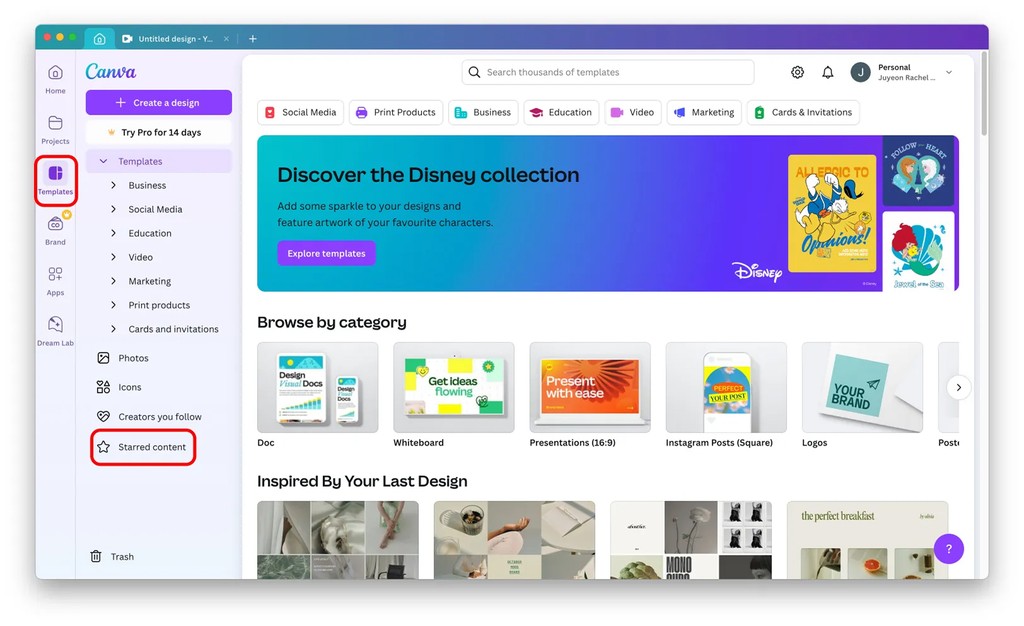
1) I found a template I liked and clicked the star icon. A toast notification with “Starred” appears, and when I clicked “View,” it took me to a screen where my selected templates were archived.
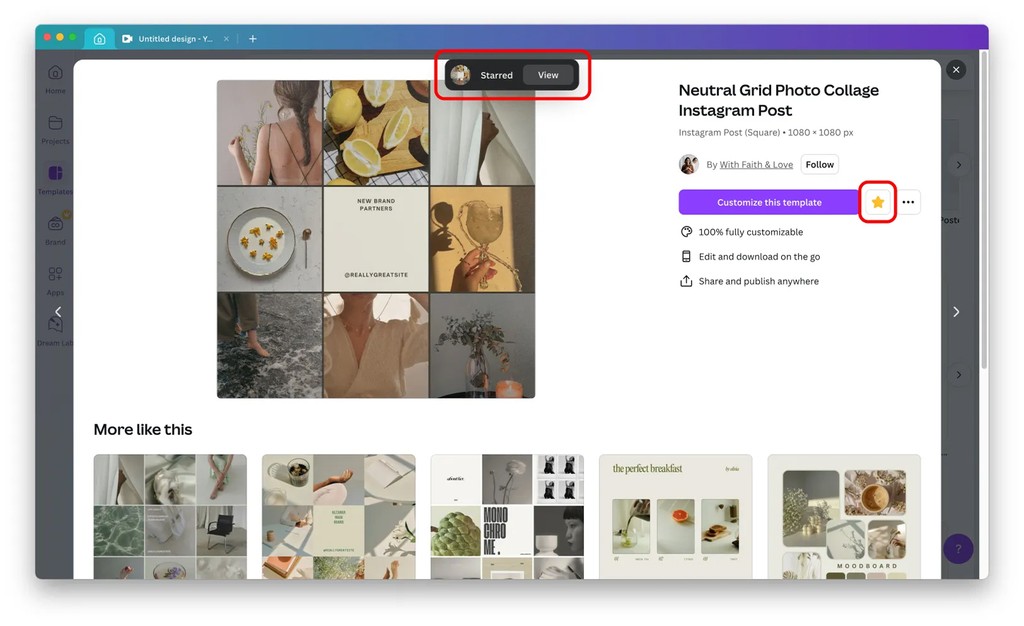
2) This screen is perceived as part of the “Projects” category in the left menu.
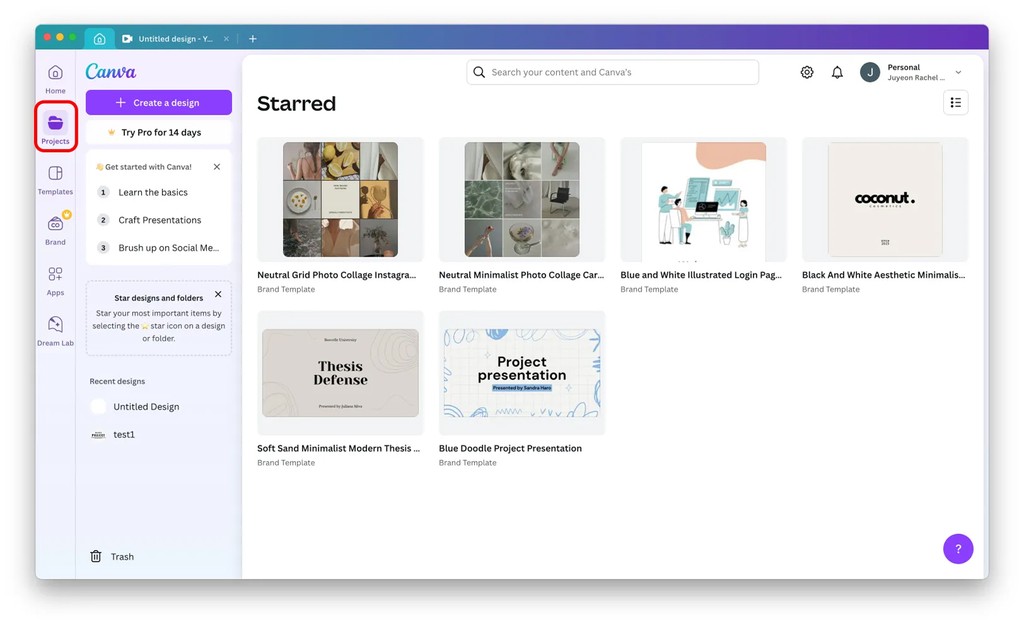
3) Later, when I navigated to a different category and wanted to return to the Starred Content screen, I went back to the Projects category, but it wasn’t there.
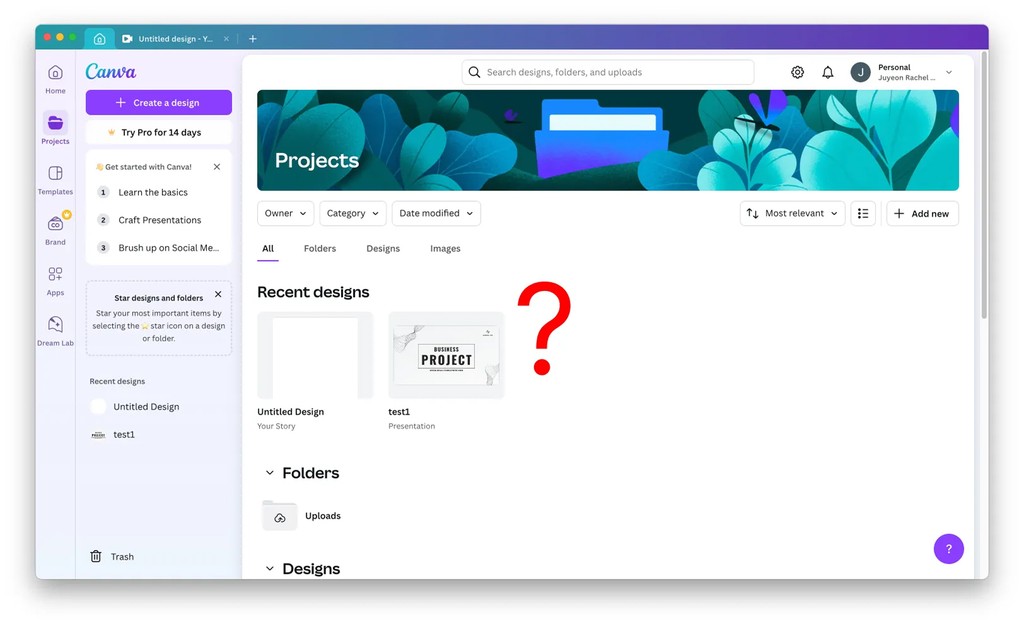
4) Eventually, I found the Starred Content screen under the Templates category, not Projects.
Opinions
User-selected data should be displayed within a consistent context.
- When I clicked the star icon, Canva directed me to a screen (via toast message) that appeared to be under the Projects category, but it was actually in the Templates category.
Since all information flows through the top-level menu on the left, it would feel more natural if related screens were accessible within the same category. Currently, the parent-child relationships seem quite rigid, making it highly likely that users will have to navigate back to the main menu on the left to access related screens for different tasks.