
UX Writing: Perfectly Aligns with Target Users
Through analyzing several airline apps, I realized just how important UX Writing is! The main target audience for airline apps are users booking tickets for flights. However, in some apps, I noticed unclear menu labels that did not adequately consider their target users.
👎🏻 Bad UX Writing: Singapore Airlines App
Button label names in the “More” menu:
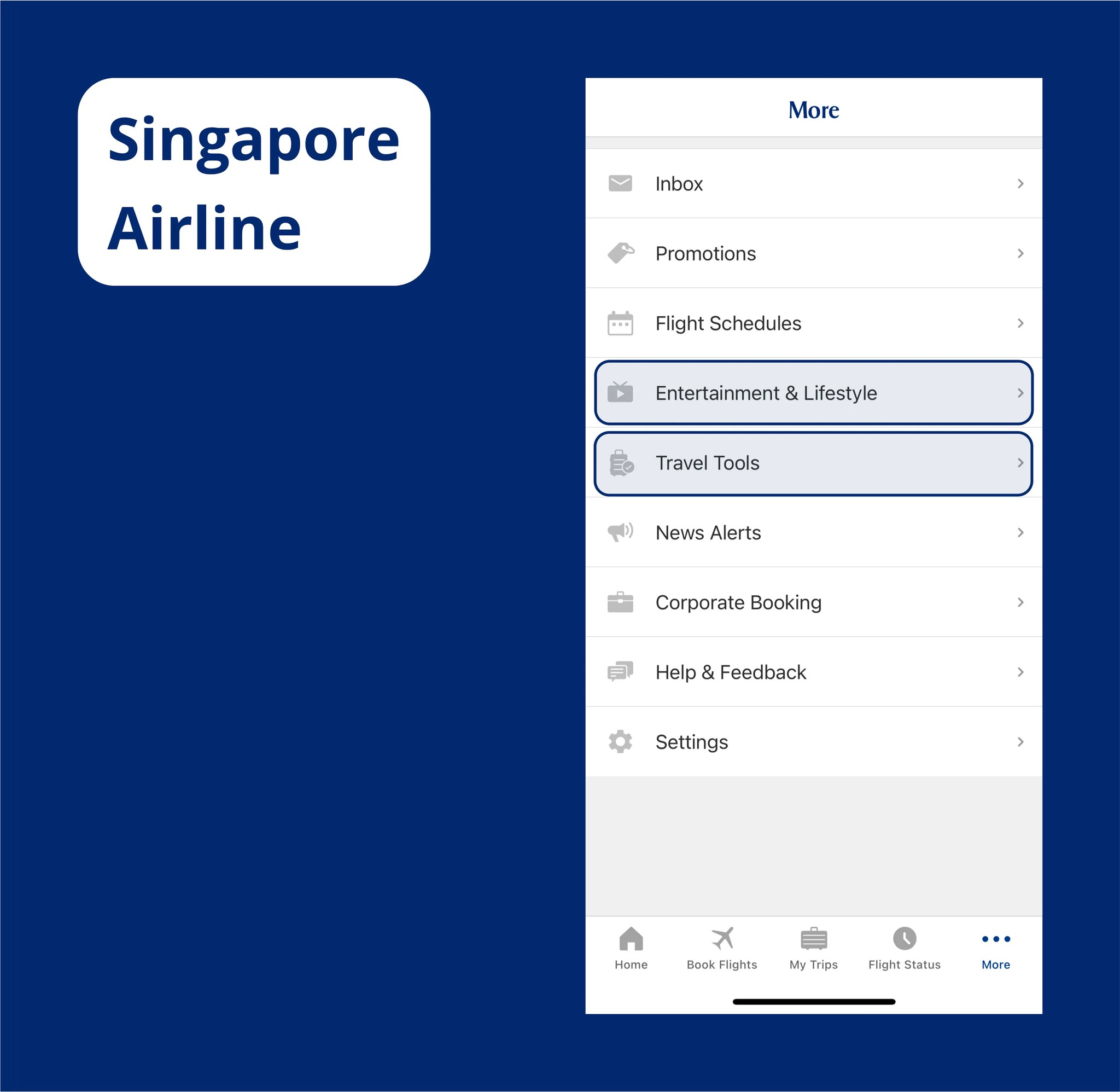
Entertainment & Lifestyle: This menu label is unclear — does it refer to inflight content or activities users can enjoy at the airport or while exploring Singapore?
Travel Tools: This label is not intuitive at all. In reality, it refers to a feature that allows users to measure baggage size using the camera. But, the label is too generic and fails to convey the purpose of the feature, making it harder for users to recognize its value.
👍🏻 Good UX Writing Example
Emirates Airline
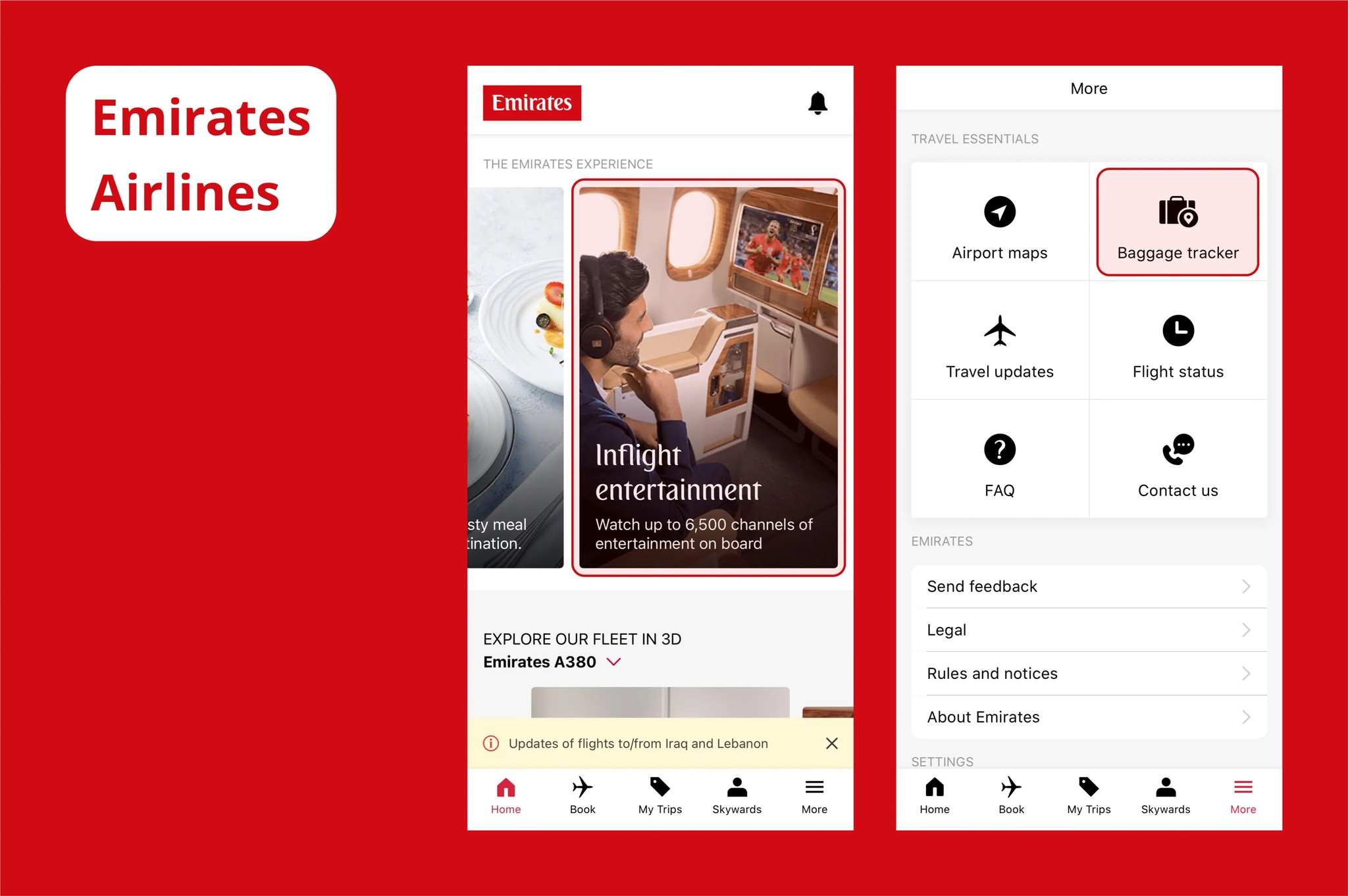
On the home screen, within the category “The Emirates Experience,” it is clearly labeled as “Inflight Entertainment” and paired with relevant images to reduce user confusion.
In the “More” menu, the label “Baggage Tracker” mirrors terminology commonly used at airports, making it easy for users to understand and recognize its functionality.
United Airline
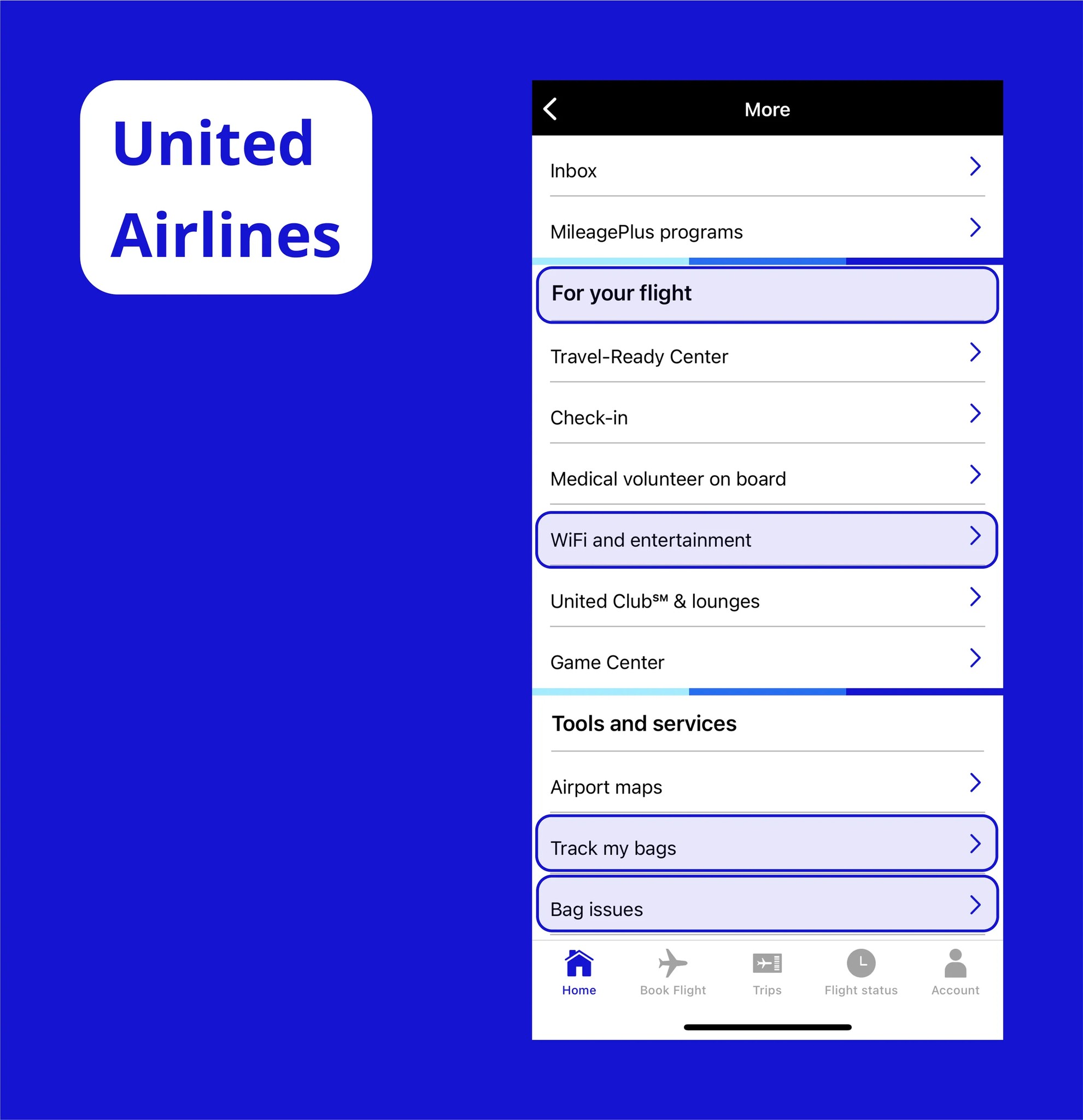
In the “More” menu, within the higher-level category “For your flight,” the category “WiFi and Entertainment” clearly communicates that it refers to inflight content, making it intuitive for users.
Baggage-related menus are divided into “Track My Bags” and “Bag Issue,” allowing users to quickly find the exact functionality they need.
Two Key Takeaways
These examples made me realize two important things:
UX Writing Is More Than Verbal Consistency
I used to think that maintaining verbal consistency was the most important aspect of UX Writing. But, it’s even more critical to choose words and structure content by deeply considering the user’s context.
Clear Categorization
This may seem obvious, but well-designed categories help users find menus quickly and understand them intuitively. This principle applies not only to overall categorization but also to the detailed aspects of UX Writing.